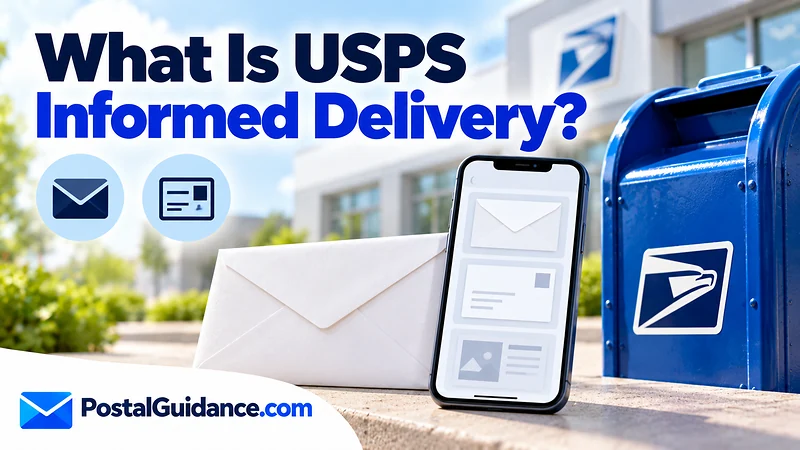
Informed Delivery is a free USPS service that shows you grayscale preview images of the letter size mail headed to your address, plus status updates on your packages. You see it in a morning email called the Daily Digest, on an online dashboard, or in the mobile app. If you have wondered what is informed delivery usps and whether it is worth setting up, the short version is yes for most households, with a few limits worth knowing.
The service is built around one idea: you should know what is coming before the carrier arrives. It will not catch every piece of mail, and it does not replace tracking numbers for packages you send. The sections below cover what it shows, who qualifies, how to sign up, and where it falls short.
What is Informed Delivery USPS offers?
USPS describes Informed Delivery as a way to get preview images of incoming mail and package status updates. It runs through your USPS.com account, so you need one to use it.
Beyond the mail previews, the same account can send package tracking alerts by text or email. It also lets you leave delivery instructions for your carrier and register a digital signature. On the dashboard you can schedule a redelivery, give a package a nickname, and see Click-N-Ship packages tracked automatically.
How does USPS Informed Delivery work?
So what is informed delivery usps doing behind the scenes? It is an image feed built from the sorting process, not a live camera on your mailbox.
USPS scans the front of letter size mailpieces as they pass through its automated sorting equipment. Those images are matched to your address and posted to your account before the mail reaches your mailbox.
USPS states that images are only provided for letter size mailpieces that go through its automated equipment. It also says plainly that it does not capture images of flat size mail.
Catalogs and magazines can still show up in color, but only when the mailer supplies that image for a campaign. Anything that never passes through that equipment has no preview.
Mail previews appear only on days when mail is delivered. That excludes Sundays and federal holidays, so a Monday after a long weekend can look different from a normal day. You can check the current delivery calendar on our page about whether USPS delivers today.
When does USPS Informed Delivery update?
Notifications arrive as a morning Daily Digest email, and you can also open the dashboard or app at any time. USPS says the digest comes in the morning, but it does not publish an exact time of day. Treat it as a rough heads up, not a schedule.
Many people ask how to see what mail is coming in USPS before the carrier arrives. The digest is the answer for letters, and the dashboard or app is the answer when you want to check later in the day.
New accounts do not start instantly. Activation varies, and notifications typically begin within 3 business days of signing up. Mail images shown on the dashboard stay visible for seven days.
Does USPS Informed Delivery show all mail?
No. It shows letter size pieces that were scanned. Large envelopes, catalogs and other flat size mail get no USPS scan, and packages do not get a mail image either.
Packages instead show up through tracking updates tied to a tracking number. USPS lists that package information below the mail images.
| Item | What Informed Delivery shows |
|---|---|
| Letters and cards that pass through automated sorting | Grayscale image of the front of the piece |
| Catalogs, magazines and other flat size mail | No USPS scan; a color image only when the mailer supplies one |
| Packages with tracking | Status updates and alerts below the mail images, not a photo of the box |
| Mail that skips automated equipment | No image |
| Sundays and federal holidays | No mail preview notification |
Because of those gaps, a missing preview does not prove a piece is lost. A piece can also arrive that you never saw in the digest. If a previewed item never turns up, see our guide to Informed Delivery mail not received.
Is USPS Informed Delivery free?
Yes. USPS says Informed Delivery is free to customers.
You also do not pay to view the interactive campaigns that businesses attach to some mailpieces. USPS says it charges mailers nothing extra to run them either.
Interactive campaigns are clickable color images from mailers. USPS says they are generally shown at the top of the mailpiece stack in your digest and dashboard. A mailer’s clickable image sits directly below the grayscale scan of its own piece.
Only people who registered for Informed Delivery and turned on email notifications see them.
Who can use it?
Anyone who asks what is informed delivery usps and wants it for a home or business address can try it. Eligibility is decided by the address, not the person.
USPS says residential, business, and PO Box addresses in an eligible ZIP Code can qualify. The address also has to be uniquely coded. Some apartment buildings and condos are not set up that way, so you may be turned away even if your neighbors across the street are fine.
You find out during signup whether your address is eligible. If you use a box at the post office, our explainer on what a PO Box is and how it works covers the basics. USPS states PO Box eligibility only in general terms, and it does not publish a full list of which boxes qualify.
How to sign up for USPS Informed Delivery
The signup runs through USPS.com and takes a few minutes if your identity checks out online. Here is the order USPS describes.
- Create or sign in to a USPS.com account.
- Enter your address and let USPS check that it is eligible.
- Verify your identity and address, which USPS requires for security and privacy.
- Confirm your email address and choose your notification settings.
- Wait for your first digest, usually within 3 business days.
If the online check fails, you can visit a USPS location that offers identity verification and finish there.
USPS does not publish a list of every reason a check fails. Comparing your entry with our guide to verifying an address with USPS is a sensible first step. You can also download the mobile app from Google Play or the Apple App Store after you register.
How to get USPS Informed Delivery without hitting snags
Most people get through in one sitting if the name and address match what USPS has on file. Use the same spelling you see on your mail, including any apartment or unit number. Pick an email you actually check, because the Daily Digest goes there.
After you register, open the dashboard once to confirm your notification settings. Email alerts and text package alerts are separate choices. Turning on both gives you a mail preview in the morning and package updates through the day.
Informed Delivery only previews mail. It does not forward or redirect anything. If you are moving, the mail itself needs the official USPS change of address process.
It also helps to know that the preview is not a promise. A piece you see in the digest can still arrive a day later than expected. Likewise, a piece you never saw can show up in your box.
What does the Daily Digest actually look like?
The digest is an email with a stack of images, one per scanned piece, with campaign images sometimes sitting on top. Each preview is a picture of the outside of the envelope or card. You cannot read what is inside, and you cannot open or reroute the piece from the email.
The dashboard adds a package section. It tracks Click-N-Ship packages automatically, and you can give a package a nickname so it is easy to spot. That makes it a handy place to check what is on the way.
Is Informed Delivery private and secure?
USPS verifies your identity and address at signup specifically to protect your security and privacy. Only registered users see their own mail previews. USPS also offers a multifactor authentication option to protect your account.
Turn that option on, since the images show who writes to you and what you receive. USPS does not give a detailed breakdown of how long it stores scans beyond the seven day display window on the dashboard. If you share a home, anyone with access to your login or email can see the digest.
Can it help you track packages and plan around delivery?
Yes, within limits. Package tracking alerts arrive by text or email. They tell you what a package is doing.
If a status reads out for delivery and nothing shows up, read about packages marked out for delivery but not delivered.
Some packages end up in a locker instead of your box, which our page on the USPS parcel locker explains. The delivery instructions option on your dashboard lets you leave notes for the carrier about where to place a package.
If you are timing your own shipment, our delivery time estimator gives a realistic range before you send.
In a home with a past resident, previews can also warn you about stray letters. Our advice on mail from a previous tenant covers what to do with them.
Bottom line
Informed Delivery costs nothing, takes a few minutes to set up, and gives you a morning look at your letters and a feed of package updates. Just remember it only previews scanned letter size mail, so treat it as a useful guide and not a complete record of what arrives.