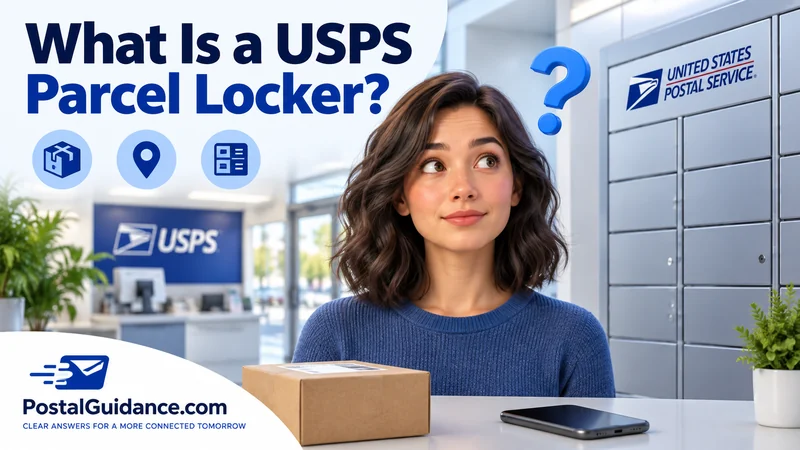
A small orange key shows up in your mailbox. Suddenly you are hunting for a locker somewhere in your building. That key is the most common way people first meet a USPS parcel locker.
It signals that a package was too big for your regular box. USPS actually runs two very different things under this idea.
One is the key operated locker built into apartment and cluster mailboxes. The other is the newer Smart Locker system installed inside Post Office lobbies.
The apartment and cluster box parcel locker
Most cluster mailbox setups are the tall metal banks common at apartments and newer subdivisions. They include a few parcel lockers built right in. Each one is larger than a normal compartment.
When your carrier has something too big for your slot, they place it in an open locker. They lock the door, then drop a small key into your individual mailbox. That key carries a tag printed with the exact locker number.
You find the key waiting with your regular mail. Take it to the matching numbered locker, unlock it, and remove your package. Close the door again, and the key stays inside the lock automatically.
Why the key stays in the lock
This trips people up the first time it happens. You are not supposed to walk off with the key. Closing the door after pickup locks the key inside on purpose.
That keeps it ready for the next carrier to reuse that same locker. If you accidentally pocket the key, that locker cannot be reloaded until it gets back. Return it to your building manager or the local Post Office as soon as you notice.
What fits, and what does not
A USPS parcel locker in a cluster box unit fits a package a bit larger than a shoebox. Anything that size gets placed there instead of left outside your door.
Oversized items still will not fit, even in the biggest locker at your bank. USPS rules generally call for a set number of parcel lockers per bank of mail compartments. The exact ratio can vary by when the unit was installed.
A package too large for every available locker gets a paper notice instead. That notice tells you to collect it at the counter of your local Post Office.
What happens when every locker is full
A busy apartment complex can run out of open locker space. This happens most during a heavy shopping week. Your carrier cannot force a package into a locker that has no room.
Some carriers hold the package for a later delivery attempt once space frees up. Others leave a notice directing you straight to the Post Office instead. A full bank of lockers is a common reason a tracking update and an actual key do not line up.
USPS Smart Lockers at the Post Office
A USPS parcel locker at an actual Post Office works completely differently. These are called USPS Smart Lockers. They sit in the building lobby rather than a mail room.
Smart Lockers are electronic, keyless, and free to use. A package addressed to one, or redirected there, triggers an email. That email carries a one time QR code or a six digit access code.
Scan the code at the kiosk, and the correct compartment door pops open. Many lobbies allow access to the lockers around the clock, even outside normal retail hours.
How long a Smart Locker holds your package
USPS gives you 5 calendar days to retrieve a package from a Smart Locker. A reminder email arrives each day during that window. After it closes, staff move the item to the retail counter instead.
At the counter, you get 10 more days to collect it with acceptable photo ID. Miss both windows entirely, and the package heads back toward the sender as undeliverable.
Where the rollout stands right now
USPS reported roughly 700 Post Office locations offering Smart Lockers as of late 2025. That was part of a broader lobby modernization push. A second phase of that expansion is planned through 2026.
USPS has not published an exact target for how many locations Phase II will add. Availability still depends heavily on which Post Office serves your ZIP code.
Check the Smart Locker location finder before assuming your local branch has one. USPS documents the full set of rules, including redelivery and shipping from a locker, on its own Smart Locker support page.
USPS parcel locker versus an Amazon Locker
| Feature | USPS parcel locker | Amazon Locker |
|---|---|---|
| Who can ship to it | USPS shipments, including Click and Ship labels | Amazon orders only |
| Location | Post Office lobbies, apartment mail rooms | Stores, gas stations, transit hubs |
| Access method | QR code, access code, or a physical key | A pickup code entered on a touchscreen |
| Cost to use | Free for standard pickup | Free for standard pickup |
The apartment key locker and the newer Smart Locker system both fall under the same USPS parcel locker umbrella. Neither one accepts a package from a different carrier the way some private locker networks do.
When a locker mix up looks like a missing package
A locker delivery sometimes explains a scan that otherwise makes no sense. Tracking might say delivered while your mailbox looks empty. Check for an orange key before assuming the worst.
Our guide on a delivered scan with nothing in hand walks through this exact scenario. It covers several other common causes too.
A PO Box holder runs into the same locker system for oversized mail. See our breakdown of the five PO Box sizes and what fits in each for how that plays out at the box level.
Picking up a locker package the right way
Bringing the wrong key or code to the wrong compartment is a common first time mistake. Match the number on your key tag to the locker door number first.
Our guide to every way to pick up a package from USPS covers hold for pickup, redelivery, and Package Intercept too. General mailbox questions come up alongside locker questions often.
Our guide on how a PO Box works day to day covers the related basics if you are choosing between the two. Curious how long a package should take before you start watching for a key?
Our tool to check when your package should actually arrive is a good first stop.
The bottom line
A USPS parcel locker means one of two things. It is either the key operated locker built into your cluster mailbox, or the newer keyless Smart Locker inside a Post Office lobby.
Keep the key with your mail once you get it. Let it stay in the lock after you open the compartment. If a Smart Locker is involved instead, watch your email for the QR code and pick up within 5 days.