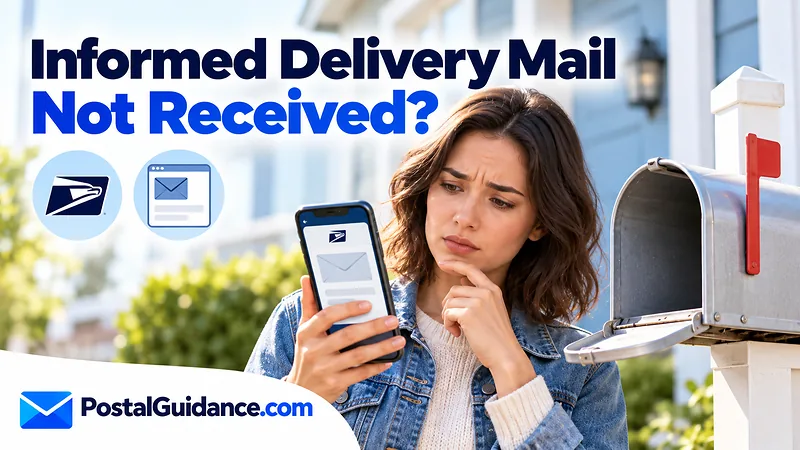
Informed Delivery mail not received is usually a timing issue, not a lost letter. The preview image is created when USPS sorts the piece, so the letter is still on its way, and USPS says to allow several days for delivery. If a piece has not shown up after that wait, the next step is to contact USPS, not to wait on the app.
The preview is a heads up, not a delivery promise. Knowing what it scans tells you when informed delivery mail not received is normal and when it deserves a report.
Why Informed Delivery mail not received is often just timing
Informed Delivery builds its images as mail moves through USPS automated sorting equipment. That happens before the carrier loads the piece for your route. The image tells you the letter exists in the system, nothing more.
USPS states that mail and packages may not arrive the same day you get a notification. Its wording is “please allow several days for delivery.” USPS does not publish a guaranteed arrival day for a previewed piece, so no one can promise you next morning.
Small things stretch a gap. A letter can be scanned at a plant far from you and still need transport and a second sort near your address. None of these steps mean the letter is lost.
What Informed Delivery does and does not show
Many missing mail worries come from expecting the preview to cover everything. It does not. The table below sums up what USPS says it shows.
| Item | What you see |
|---|---|
| Standard letters | A grayscale image of the address side |
| Catalogs and magazines | Sometimes a color image |
| Larger envelopes and flat mail | Often nothing, because images come only from letter sized pieces on automated equipment |
| Packages | Status updates, not a photo of the box |
| Sundays and federal holidays | No mail preview email |
The reverse problem is common too. A letter can arrive with no preview at all, because it skipped the automated equipment. The preview is a sample of your mail, not a full record of it.
Common reasons a previewed letter goes missing
Most previewed letters do arrive, so a real miss usually has a plain cause. Knowing the usual ones helps you check the right place first.
- Misdelivery: the carrier placed the piece in a neighboring box, especially if the address line is hard to read or similar to another.
- Forwarding or address problems: the sender used an old or incomplete address, so the piece went somewhere else.
- A late or short staffed route: the piece waits for the next delivery day.
- A holiday gap: the preview was created before a day with no delivery.
The preview image shows the address side, so look closely at it. If the address or unit number is wrong or cut off, that points to the sender, not USPS. Ask the sender to confirm exactly what they wrote on the piece.
How long to wait before you worry
Give a previewed letter at least several days, since that is the window USPS itself names. Count business days, and remember that Sundays and federal holidays have no regular mail (Priority Mail Express Sunday delivery is the paid exception). A letter previewed on a Friday ahead of a holiday weekend will not follow your usual rhythm.
Write down the preview date so you can say exactly how long it has been when you contact USPS. Exact dates make a report far easier to act on.
If the sender is mailing from across the country, check the likely transit time first. Our page on mail delivery time between two zip codes explains typical ranges.
You can also run the route through the Delivery Time Estimator. A letter still inside that range is not late, even if the image appeared days ago.
Normal vs when to worry
| What you see | Likely meaning | What to do |
|---|---|---|
| Image today, no letter today | Normal. The piece is still moving | Wait several days, check the next few deliveries |
| Image, and a few days have passed | Possible delay or misdelivery | Ask the sender for any tracking or mailing date, then check your mailbox and neighbors |
| Package shows Out for Delivery, nothing arrives | Often a late route | Wait one business day, then contact the Post Office |
| No image for a letter you expect | The piece may not be scanned | No action yet; follow the sender’s own tracking |
| Repeated previews never delivered | Possible route or address problem | Contact USPS and name the dates and senders |
For packages that say Out for Delivery, USPS says to contact the Post Office if nothing arrives after one business day. Our guide on USPS Out for Delivery but not delivered covers that case in detail.
How to report informed delivery mail not received
Start with simple checks. Look at the mailbox, the porch, and any shared mail area. Confirm the sender used the correct address, and that your notification settings are on and the Informed Delivery email is not going to spam.
Next, gather what you can: the preview image, the date it appeared, the sender, and any tracking number. Screenshots of the preview are useful because they show the exact piece USPS scanned. They also help a postal employee match your report to a real piece of mail.
Then contact USPS through the official contact page, or ask at your local Post Office. Staff there can check whether your route was delivered that day. The official Informed Delivery page describes no “report not delivered” button for letter previews, so use the contact options above instead.
When a Missing Mail search request applies
A missing letter is different from a package that tracking says is on the truck. Match your case to the right path before you file anything.
The Missing Mail search is built mainly for the person who mailed an item. USPS allows a request starting 7 days after mailing. You provide the sender and recipient addresses, the container type and size, the tracking number or mailing date, and a description with photos.
If the missing item was insured, a claim must be filed within 60 days of the mailing date. Your Informed Delivery preview can help show where a delay began, but it is not a claim by itself. If the sender is a business, ask them to open the search, since they hold the mailing details.
What to tell the sender
If the letter came from a company, bank or agency, tell them it has not arrived and give the preview date. Many senders can reissue a document, a card or a check without waiting on USPS. Ask them to confirm the address they used, and to check whether they mailed with any tracking.
For important items, ask senders to use a tracked service in future. A preview is helpful, but a tracking number gives you a scan history to point to. That history also supports a Missing Mail search if one becomes necessary.
Bottom line on mail that showed up only in the app
A preview that never turns into a letter is not proof of loss on day one. Wait several days, count business days, and check the ordinary causes first. If the piece is still missing after that, report it to USPS with the image, the date and the sender, and let the sender open a search if they can.