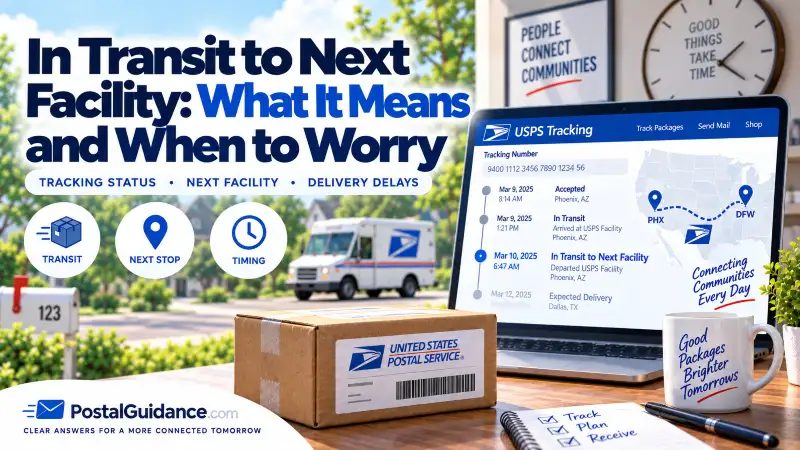
“In Transit to Next Facility” means your package has left one USPS facility and is traveling to another, but has not yet been scanned in at that next stop. It is a catch-all status USPS uses while a package is between checkpoints. In most cases your package is still moving normally; the tracking page just has nothing new to show yet.
This status sounds active but gives you almost no detail, which is exactly why it is frustrating. There is no location, no direction, and no timeline, just a note that your package is somewhere between Point A and Point B. It often appears right after Departed USPS Regional Facility, and it can repeat for days. That repetition is normal. For the bigger picture of how USPS routes mail, see our guide on what a USPS regional facility is.
Is your package actually moving right now?
Most of the time, yes, even when tracking looks frozen. USPS uses this status when a package is traveling without generating scans, which is common on long-distance, overnight, and air routes. There is also a gap between physical movement and tracking visibility: a package can reach the next facility, sit in a container, and not get scanned for hours or a full day. Until that scan posts, the same in-transit message stays on screen.
Batching adds to the effect. USPS sometimes uploads tracking updates in groups rather than in real time, so you can go from no updates at all to several scans appearing at once. That is why refreshing every hour rarely helps, and why USPS tracking not updating during this phase usually means movement, not a problem.
How long this status usually lasts
It can last from a few hours to several days, and that wide range is what unsettles people. In normal conditions, most packages stay in this phase for one to three business days while traveling or waiting to be processed at the next stop.
| Time in this status | What it means |
|---|---|
| Less than 24 hours | Completely normal. |
| 1 to 3 days | Still normal for most shipments. |
| 3 to 5 days | A mild delay, but not unusual. |
| 5+ days with no change | Worth monitoring more closely. |
Distance, weather, transportation issues, and overall USPS volume can all stretch this phase, and peak seasons commonly make it last longer without signaling a real problem. USPS also sometimes skips arrival scans entirely, so your next update might jump straight to “Arrived at Post Office” or even “Out for Delivery.” For a realistic delivery window on a route, our delivery time estimator can help set expectations.
Why this status repeats or lasts for days
Seeing the same message again and again makes it feel like USPS is stuck in a loop, but the reality is less dramatic. USPS reuses this status whenever a package moves between facilities without a confirmed arrival scan. The usual reasons are:
- No arrival scan yet. The package reached the next facility but has not been scanned into the system.
- Multiple transfers. Long-distance shipments may pass through several hubs before reaching your area.
- Processing backlogs. The facility received the package but has not sorted it yet.
- System lag. Tracking updates are delayed or uploaded in batches.
Repetition does not mean the package is stuck in one physical spot. It usually means USPS has not logged the next visible checkpoint. A related, more reassuring version of this you may also see is In Transit, Arriving On Time, which confirms the package is still expected by its delivery date.
Is it a bad sign, and when should you worry?
By itself, no. This status simply means your package is between facilities or waiting to be processed, and USPS uses it as a placeholder when there is nothing new to show. It only starts to feel negative when it lasts longer than five business days, the delivery date disappears or keeps getting pushed back, or there are no location updates at all for an extended stretch. Even then, the usual causes are weather, transportation issues, and high volume, not a lost package. Many packages that sit in this status for days suddenly jump to “Out for Delivery” without warning.
What to do if the status has not changed
The right move depends on how long it has been:
- Under 3 business days: be patient. This is well within the normal window, especially for long-distance shipments. Check once or twice a day, not every hour.
- 3 to 5 business days: check whether the estimated delivery date updated quietly, look for small location or timestamp changes, and give it one more full business day before escalating. Most packages resolve on their own at this stage.
- 5+ business days with no change: submit a USPS Help Request Form online, contact the sender if it was an online order, and avoid filing a missing-mail search unless USPS recommends it, since doing it too early can slow things down.
Calling USPS too early rarely helps; the Help Request Form is usually faster and creates a record routed to the destination post office. In most cases the next scan appears shortly after people start worrying, because USPS tracking has a habit of updating late, not never. If a package genuinely stalls, our guide on what to do when USPS tracking says in transit for days covers escalation, and USPS explains how to follow up on a shipment on its official Where is my package help page.
The bottom line
“In Transit to Next Facility” is a placeholder status, not a warning. Your package has left one facility and is on its way to the next, often without scans in between. A day or two, sometimes more, of no updates is normal at this stage and usually means travel rather than trouble. Start troubleshooting only once the status passes about five business days with no movement or the delivery date drops off entirely.