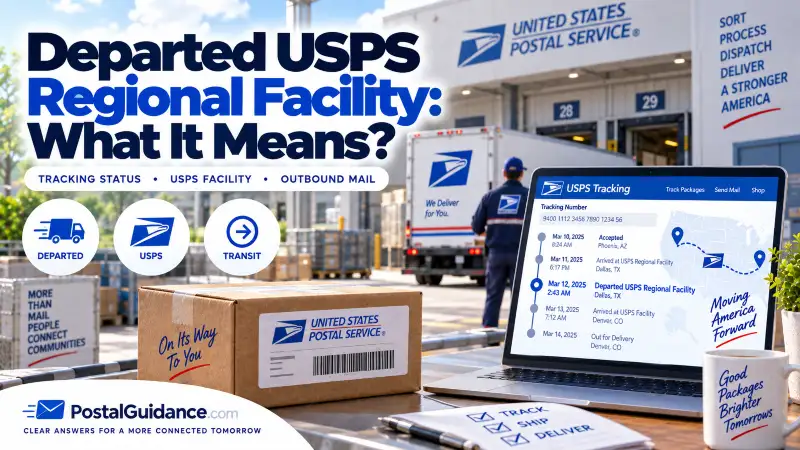
“Departed USPS Regional Facility” means your package has finished processing at a regional sorting center and has been loaded onto transport heading to its next stop. It is a good sign: your package is back in motion, not stuck. It does not mean the package is out for delivery yet, and it is completely normal for tracking to go quiet for a while right after this scan.
The update confirms two things: the package was fully processed at that facility, and it has been loaded onto a truck or plane. It is no longer sitting in a warehouse or waiting in a sorting queue. For background on what these centers do, see our guide on what a USPS regional facility is; this page covers what happens once your package leaves one.
Where your package goes next
After departing, a package moves one step closer to its destination, though the next step depends on distance, mail class, and routing. If you are shipping across states, the next stop is often another regional or distribution facility, since USPS moves mail in stages rather than in a straight line. If your address is relatively close, it may head to a local post office or a smaller processing center serving your area, which is when you will start seeing familiar arrival scans tied to your city or ZIP code.
Sometimes the package passes through a transportation hub with no clear arrival scan at all. USPS does not scan at every transfer point, especially during overnight or long-haul transport. So if you see “Departed” and then nothing for a while, it is usually just traveling between major points. The next status you see is often In Transit to Next Facility or an arrival scan closer to home.
How long until delivery after this status
Once you see “Departed USPS Regional Facility,” delivery is usually not far off, though not immediate. In normal conditions, most packages arrive within one to three business days of this update, and short-distance shipments can arrive the very next day.
| Distance / route | Typical time to delivery |
|---|---|
| Local or nearby | Same day to next day. |
| Most standard shipments | 1 to 2 business days. |
| Longer distance or busy routes | 2 to 3 business days. |
Delays can still happen during peak seasons or bad weather, but this update generally means the hardest part of the journey is behind the package. Keep in mind that delivery dates are estimates, and USPS may not refine the estimate until the package reaches your local post office. For a realistic window on a given route, our delivery time estimator can help.
Why tracking sometimes freezes right after departure
It is very common for tracking to go quiet immediately after this scan, and it does not mean your package vanished. A few reasons explain it:
- No scans in transit. Once a package leaves a regional facility, it can travel long distances without a new scan, especially on overnight or long-haul routes.
- Batch scanning. Departure scans are sometimes uploaded together while the next facility’s arrival scan lags, so the package may already be at the next stop before tracking catches up.
- Transport mode. Packages moved by air often show fewer updates than ground shipments. The package is moving, just not reporting every step.
This gap usually lasts several hours to a full day, and occasionally one to two days during busy periods. If your USPS tracking is not updating during this window, it is almost always a sign of transit, not a stall.
Is it ever a bad sign?
Rarely. A departure scan signals momentum: the package cleared one of the biggest processing points, major delays at that facility are behind it, and delivery is getting closer. It only becomes worth watching if there are no updates for several business days, the delivery date keeps getting pushed back, or tracking loops between the same facilities repeatedly. Even then, the cause is usually logistical rather than a lost package.
What to do if there are no updates after departure
Do not panic too quickly, since a quiet tracking page right after this status is one of the most normal USPS experiences. Match your response to how long it has been:
- Under 24 hours: do nothing. The gap almost always means the package is in transit between major points.
- 1 to 2 business days: recheck later in the day, since updates often post overnight, and watch for a changed delivery estimate. Give it one more business day before assuming anything is wrong.
- 3 business days: double-check the destination ZIP on the tracking page and watch for a sudden jump straight to “Out for Delivery,” which happens more often than people expect.
- 5+ business days: submit a USPS Help Request Form, contact the sender if it was an online order, and avoid filing a missing-mail search too early, since doing it prematurely can slow things down.
Most of the time the next update appears before you ever need to escalate; USPS tracking is often late, not broken. If a package truly stalls, our guide on what to do when USPS tracking says in transit for days covers the next steps, and USPS explains how to track and follow up on a shipment on its official USPS Tracking page.
The bottom line
“Departed USPS Regional Facility” means your package left a major sorting center and is traveling toward its next stop, usually one to three business days from delivery. A quiet stretch right after this scan is normal and reflects travel between facilities, not a problem. Only start troubleshooting if the silence passes about five business days with no movement.