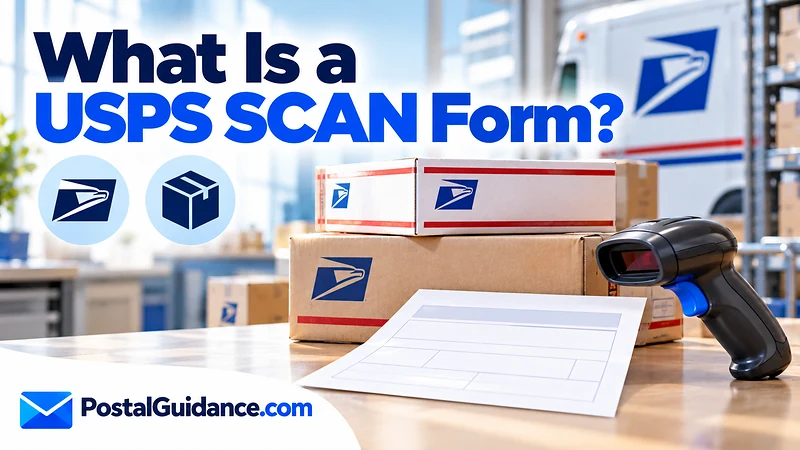
A USPS SCAN Form is a single sheet with one barcode that lets a postal employee accept every package in your shipment with one scan. The official name is PS Form 5630, the Shipment Confirmation Acceptance Notice, and the abbreviation SCAN comes from that name. If you want to know what is scan form usps in practice, it replaces scanning each label one at a time.
Shippers who hand over many prepaid parcels at once use it to save time at the counter. It also gives each parcel an acceptance record on the same visit.
What is scan form USPS and what does it do?
PS Form 5630 links multiple packages in one shipment to a single barcode. When a postal employee scans that barcode, every package in the shipment receives an “Acceptance” event from the Post Office, according to the USPS Postal Bulletin.
The form took effect on August 9, 2008. It was designed so direct to consumer shippers could show customers that items had shipped.
So what is scan form USPS in one line? It is a batch acceptance sheet.
The form is not a label and not a receipt for postage. You still need a prepaid shipping label on every parcel. The SCAN Form only summarizes those labels.
Who uses a SCAN Form?
Online sellers and small shops that print labels in bulk are the main users. Shipping platforms such as Stamps.com and Pirate Ship can generate the form from the labels you bought that day.
Many local Post Offices expect one once you ship more than a few packages at the same time, Pirate Ship notes in its help center. The form is optional in most cases, but it speeds up the handoff for everyone.
If you ship one or two parcels, you can usually skip it. Each label gets scanned individually and that takes seconds. A plain label created through Click N Ship does not need a form for a single box.
How to create a SCAN Form
Every platform words the steps a little differently, but the pattern is the same. You buy your labels first and then build the form from them at the end of the day.
| Platform | Where to start | Key detail |
|---|---|---|
| Stamps.com | History tab, then “Create a SCAN Form” | Choose “All Eligible Packages,” set the ship date and origin ZIP Code, then click “Print SCAN Form” |
| Pirate Ship | Ship page, then “End of Day” | Click “Create SCAN Form” next to the day’s label group and print the 8.5 by 11 inch PDF |
Stamps.com tells users to refund any unused labels before creating the form. It also suggests finishing before 9 pm local time and says you cannot build a form for shipments from earlier days.
Pirate Ship says labels bought after 8 pm local time land on the next day’s form. It keeps forms available for 14 days.
The rules USPS applies to every SCAN Form
The platforms are following USPS rules, which the Postal Service spells out in its SCAN API guide. Every label on a form must share the same ship date and the same origin ZIP Code. Canceled labels and labels already placed on another form are excluded.
One form can carry up to 1,000 package barcodes. Labels cannot be added once the form exists, so a late label needs a second form. Domestic, international, and APO, FPO and DPO labels are all eligible.
How to hand over the SCAN Form
You have three options, based on the USPS description of the process. You can schedule a pickup, give the packages to your letter carrier, or bring them to the retail window or back dock of a Post Office.
At the counter, the clerk scans the barcode on the form with a handheld reader. All packages then receive acceptance at once, and the clerk returns the form so you can keep it for your records.
Check closing times before you go. Our guide to what time USPS closes covers hours by branch type.
What a SCAN Form does to tracking
Once the form is scanned, each parcel shows a USPS acceptance event in its tracking history. That is the main reason sellers use it. Customers see proof the package entered the mail stream.
It records acceptance only. The service, price and delivery standard stay exactly what the label says.
Pirate Ship also warns that a SCAN Form does not count as proof of acceptance for an insurance claim. A tracking scan showing the parcel entered the mail flow is what you need for that.
If a parcel seems stuck after handoff, see USPS tracking not updating.
You can also read what in transit means on USPS.
Common SCAN Form mistakes
Most problems come from timing and from mismatched batches. A few habits prevent nearly all of them.
- Printing the form before you finish buying labels, so late labels are missing from it.
- Leaving unused labels in the batch. USPS excludes canceled labels from a form, so refund them first or the form will not match the boxes you hand over.
- Waiting until the next day. Stamps.com does not allow forms for shipments from previous days.
- Handing over a parcel that was never on the form. It then needs its own scan.
- Reusing a form. USPS ties each form to one ship date and origin ZIP Code, so build a new one each time.
Pirate Ship also notes that its forms only cover USPS labels, not UPS. Keep UPS parcels separate and do not expect the form to cover them.
One more habit helps. Count the parcels in your hand against the labels on the form before you leave. A missing box is far easier to find at your own table than at the counter.
Choosing the right service before you print labels
A SCAN Form does not change postage. Compare services first with the Mail Class Selector.
Then price each parcel with the Postage Price Calculator.
For heavier parcels, USPS Ground Advantage is a common choice. Whatever service you pick, the SCAN Form works the same way and only confirms the handoff.
SCAN Form or individual label scans?
The choice depends on volume and on how you drop off. This table sums up the difference using the details above.
| Question | With a SCAN Form | Without one |
|---|---|---|
| How USPS accepts parcels | One barcode scan covers every package on the form | Each label is scanned one at a time |
| Best for | Several prepaid parcels in one visit | One or two parcels |
| Handoff options | Pickup, letter carrier, retail window or back dock | Same options, with more scans |
| What you keep | The returned form for your records | Your label receipts and tracking |
If you are unsure whether your Post Office wants one, ask at the counter before your first large drop off. Local practice varies, and the form is optional in most cases.
The bottom line on SCAN Forms
Now you know what is scan form USPS shippers rely on: a single barcode sheet that stands in for scanning every label. It helps most when you drop off several prepaid parcels in one go. For a lone package, skip it and let the clerk scan the label.