Click-N-Ship is the USPS online tool that lets you pay postage and print a shipping label from home, so what is Click N Ship USPS offering you in practice is a way to skip the counter line. It works for USPS Ground Advantage, Priority Mail and Priority Mail Express. You still hand the package over, either at a Post Office or through a free pickup.
The tool sits inside a free USPS.com account. The account itself costs nothing, and the postage is priced at commercial rates, which run below the counter price for the same parcel.
Holiday prices through January 17, 2027: USPS added a temporary price increase from October 4, 2026 to January 17, 2027 for Priority Mail Express, Priority Mail, USPS Ground Advantage and Parcel Select. During that window, retail Ground Advantage starts at $8.40, Priority Mail at $11.50 and Priority Mail Express at $37.05.
Priority Mail Flat Rate costs $13.90 for the envelope, $14.25 legal, $15.00 padded, $14.65 for the small box, $25.80 medium and $36.10 large ($34.65 APO/FPO/DPO). Priority Mail Express flat rate envelopes are $38.25, $38.55 legal and $39.25 padded. Prices in the rest of this article are the regular July 12, 2026 prices, which return January 18, 2027, and stamps, letters and Media Mail are not affected.
What is Click N Ship USPS and who uses it?
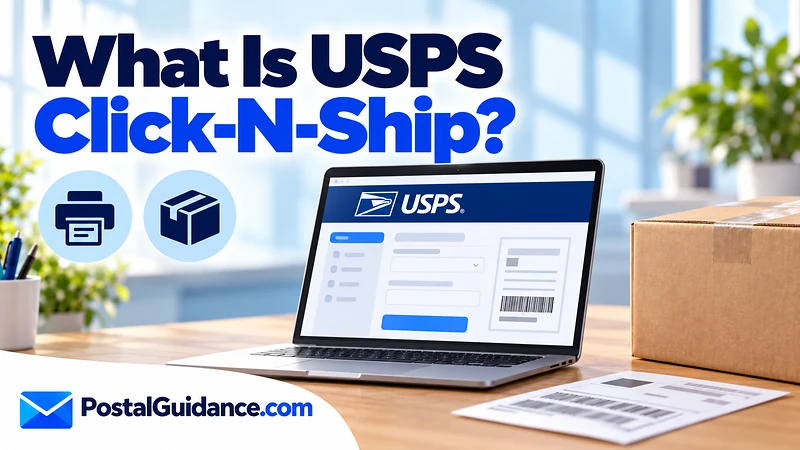
Click-N-Ship is the label and postage platform on USPS.com. You enter the sender, the recipient and the package details, pay online, and print a label with postage already attached. USPS describes the process in three steps: prepare, print, ship.
Small sellers, home offices and people sending the occasional parcel all use it. USPS gives every user automatic commercial discounts, and business users can reach extra rates through the Business Rate Card program.
How does USPS Click N Ship work?
The flow is the same for every shipment. Each step happens inside your account.
- Create the account. A free USPS.com account stores your addresses, preferences and delivery instructions.
- Enter the shipment. Add the addresses, then the weight. Custom boxes need dimensions if the piece is longer than 12 inches, plus girth when it applies.
- Pick a service and extras. Choose Ground Advantage, Priority Mail or Priority Mail Express. Insurance and signature services can be added to a label, singly or in bulk.
- Pay. USPS lists credit card, PayPal, Click to Pay, Apple Pay or an EPS account.
- Print and attach the label. Seal the package and stick the label on the largest flat side.
- Hand it off. Drop it at a Post Office or schedule a pickup.
The full walkthrough for the physical side, from boxes to tape, is in our guide on how to ship a package with USPS.
How to use Click and Ship USPS tools to save time
Once you have shipped a few parcels, the account does most of the repeat work. Shipping History keeps every label you made, so you can reprint one or request a refund from the same screen.
The Ship Again function copies a past shipment into a new one, which helps when you send to the same customer often. The Advanced Label Manager handles bulk edits and return labels. Together these turn a five minute chore into a short routine.
The tool also asks for a complete delivery address. A missing apartment or suite number is a common reason labels fail, so type the unit exactly as it appears on the recipient’s mail. If you are unsure of a ZIP Code, look it up before you pay, because a wrong label is only refundable if it goes unscanned.
Which services does Click N Ship support?
USPS names three services for the platform. Anything outside that list, you take to the counter.
| Service | On Click-N-Ship? | Retail price at 1 lb, Zone 1 (Notice 123, July 12, 2026) |
|---|---|---|
| USPS Ground Advantage | Yes | $9.55 |
| Priority Mail | Yes | $11.00 |
| Priority Mail Express | Yes | $35.90 |
| Media Mail | Not on the USPS list | $4.39 |
The prices above are counter prices from the official price list, shown so you can see the baseline. Click-N-Ship prices come in lower because of the commercial discount, but USPS does not publish a single fixed number for that discount. For the service itself, see what USPS Ground Advantage is.
How does USPS Click and Ship pricing compare with the counter?
Click-N-Ship applies a commercial discount to every account, so the same parcel costs less online than at the window. The discount is not a flat percentage that USPS publishes. The quickest check is to price one parcel both ways before you commit.
Weight matters most. Retail Ground Advantage runs $9.55 at 1 lb and $10.80 at 2 lb in Zone 1. Retail Priority Mail runs $11.00 at 1 lb and $11.95 at 2 lb in the same zone.
The zone is set by distance between the origin and destination ZIP Codes. Higher zones cost more.
Priority Mail on Click N Ship
Priority Mail is on the list, and the retail price rises with weight and distance. A 1 lb parcel costs $11.00 in Zone 1 and $13.05 in Zone 5 at the counter. Flat Rate envelopes and boxes start at $12.90 for the envelope and $13.65 for the small box.
Click-N-Ship also offers free shipping supplies inside the tool. To compare the cheapest option for your weight and distance, use the postage price calculator.
Media Mail and Certified Mail
USPS names only three services for the platform, and Media Mail is not one of them. The USPS user guide does not detail Media Mail either. If you want the lowest book rate, which is $4.39 for 1 lb at retail, plan to pay at a Post Office.
Certified Mail is also not on the three service list. Its fee is $5.55 per item on top of postage, and you buy it at the counter or through the separate USPS tools for it. The mail class selector helps when you are not sure which class fits what you are sending.
Printing, pickup and smart lockers
You do not need a home printer. Labels can be saved as PDFs, printed two to a sheet on plain 8.5 by 11 paper, or taken to a Post Office through the Label Broker QR code. For a $1.65 fee per label, the Label Delivery Service mails a physical label to you.
Pickup is free but has exclusions, and the option appears only for eligible return addresses. Personal accounts can also ship to a nearby USPS Smart Locker for recipient pickup. Our article on the USPS parcel locker explains how those work.
Refunds for unused labels
Print errors and changed plans are the usual causes of an unused label.
Mistakes happen, and a label you printed but never mailed can be refunded, under rules on the USPS refund page. The label must be unscanned and unused. You can request a refund up to 60 days after the print date.
- Labels older than 30 days need an email to USPS support.
- Each label can have only one refund request.
- Go to Shipping History, select the labels, then choose Refund Labels.
- The money returns to the original payment account.
Click N Ship or the counter?
So what is Click N Ship USPS best for? It suits parcels in the three supported services when you want a lower price and no wait. The commercial discount is applied automatically.
The counter wins for Media Mail, Certified Mail and anything else outside the three services.
Check closing times before you go. Our guide on what time USPS closes covers hours by branch type.
For a wider look at pricing, the article on what it costs to ship a package with USPS compares options by weight.
Bottom line on Click N Ship
What is Click N Ship USPS in one line? It is a free tool for buying discounted postage and printing labels for three USPS services. Use the counter for Media Mail and Certified Mail.