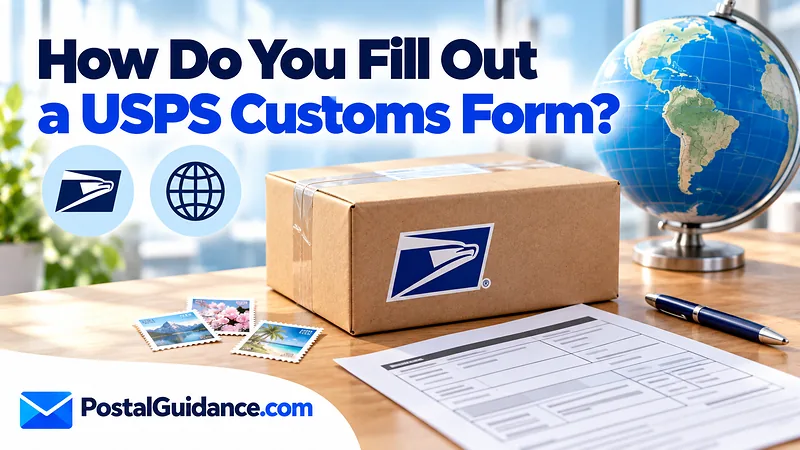
The short version of how to fill out a USPS customs form is simple: give the full names and addresses, describe every item specifically, declare a separate value for each one, add the gross weight with its unit, and sign and date the form. Almost every international package needs one, and USPS now expects the form to be generated electronically.
The paper PS Form 2976-R is the worksheet behind it. This guide walks through each field, the mistakes that stall packages, and where to complete the form online.
Which USPS customs form do you need?
The form you see most often is PS Form 2976-R. USPS describes it as the customs form for Priority Mail Express International and all other international services, including APO, FPO and DPO addresses. The USPS customs forms page lists three ways to complete it.
- Print the label and the forms together in Click-N-Ship. Here is how Click-N-Ship works if you have never used it.
- Use the Customs Form Online tool to print the forms on their own.
- Bring a completed PS Form 2976-R to the Post Office counter.
The International Mail Manual adds a detail about the counter route. The handwritten 2976-R serves as a worksheet, and the clerk generates the electronic form from it.
The printed 2976-R itself says it “is not the official Customs Form, but an intake sheet used in its creation,” and asks you to print in English using blue or black ink. PS Form 2976-B, the Priority Mail Express International label and customs form in one, belongs to the same family.
When a customs form is required
USPS requires a customs form for every outbound international package. The only exception is a First-Class Mail International letter or large envelope under 15.994 ounces that holds nothing but nonnegotiable documents. The Manual also says any item over 16 ounces needs a form no matter what is inside.
The same form is needed for military mail. Packages to APO, FPO and DPO addresses are treated as international for this purpose. If you are not sure which service fits the parcel, the Mail Class Selector narrows it down before you start the form.
How to fill out a USPS customs form field by field
The table below shows what each field asks for and what trips people up. Every field comes from the USPS forms page and the International Mail Manual.
| Field | What to enter | Common mistake |
|---|---|---|
| Sender and recipient | Full last name, first name, business name if any, complete address, telephone and email | Abbreviating a name or leaving out the postal code |
| Category of items | One box: Document, Merchandise, Commercial Sample, Gift, Returned Goods, Humanitarian Donation or Other | Ticking Gift for a sold item |
| Item description | What the item is, what it is made of and what it is for | Writing “clothes” or “tools” |
| Quantity and net weight | Count and weight for each line | Guessing the weight of the whole box |
| Value | A separate value for each item, plus the total | Entering only a total |
| Total gross weight | Weight of the whole package with the unit | Leaving off “oz” or “lb” |
| HS tariff code and country of origin | The code for each item, plus where it was made | Using a code that does not match the description |
| Nondelivery instructions | Return to Sender or Treat as Abandoned | Leaving both boxes blank |
| Signature and date | Sender signs the certification that the particulars are correct and the package holds no undeclared dangerous or prohibited items | Handing it over unsigned |
Write item descriptions that customs can read
USPS says a description must state what the item is, what it is made of and what it is for. “Men’s cotton shirts” works. “Clothes” does not.
List each different item on its own line. A box with two books and a scarf needs a line for the books and a line for the scarf.
Declare the value honestly
Enter a separate value for each item and a total for the shipment. Use the real price in U.S. dollars.
Under the Manual, you carry sole responsibility for the accuracy of everything on the form. A low number does not make the parcel safer. It makes the form wrong.
That includes gifts. A gift still has a value, and the destination country may charge duty on it. The International Duty Estimator gives you a rough idea of what the recipient may owe.
Find the HS tariff code
The Harmonized System code classifies the item for customs. USPS says it assigns the code from your descriptions when you use its online tools. The Manual also lists a code of at least six digits for each item on the electronic form.
That is one more reason to write a clear description. The Manual states that USPS is not liable for an incorrect code or incomplete customs information.
Choose the contents type
PS Form 2976-R offers seven boxes: Document, Merchandise, Commercial Sample, Gift, Returned Goods, Humanitarian Donation and Other. Tick one.
A sold item is Merchandise even if the buyer calls it a present, and a Gift still needs a value on every line. For letter post, the Manual separates documents from merchandise.
Documents are written, printed or drawn information. CDs and flash drives are not documents, so they count as merchandise.
The online tools present the same choices. Pick the one that matches what is really in the box, because the category and the description have to agree.
Before you start: what to have in front of you
Most errors happen because the sender is guessing mid form. Gather the details first and the form takes a few minutes.
- The recipient’s full name and complete address, spelled the way the destination country writes it.
- A list of every item, with its material, purpose and quantity.
- The price you paid or the price the buyer paid for each item.
- The weight of each item and the weight of the packed box.
Weigh the finished package, not the empty box. The form asks for total gross weight, which means the contents plus the packaging.
A worked example
Say you are mailing a gift box with two paperback books and a wool scarf. Do not write “gift” or “books and clothing.” Break it into lines that a customs officer can classify without opening the box.
| Line | Description | Quantity | Value |
|---|---|---|---|
| 1 | Paperback novels, printed paper, for reading | 2 | $18.00 total |
| 2 | Women’s wool scarf, for wear | 1 | $24.00 |
| Total | Shipment value | $42.00 |
The prices are illustrative. Use your own receipts, and add the country of origin for each line (the country where the item was made, not where you bought it). Then add the gross weight with its unit and sign the form.
Paper worksheet or electronic form
The International Mail Manual calls for a fully completed, electronically generated customs form for international mail. That is why the online route is easiest. The software checks that required fields are filled before it lets you print.
If you go to the counter instead, fill in the paper 2976-R as your worksheet. The clerk keys it into the retail system, you check the printed form and then you sign it.
Since August 13, 2020, the military postal system no longer accepts packages with handwritten customs forms, so an APO or FPO parcel must carry the printed version too. Read the printed copy before you sign, because the declaration is yours.
Special cases to know about
Three situations change what you do. Each is covered by the USPS rules above.
- A lightweight letter with only documents inside may skip the form if it is First-Class Mail International under 15.994 ounces.
- A military address (APO, FPO or DPO) still needs the form.
- A parcel to an EU country valued up to 150 euros may now carry extra duty and requirements.
When the service you picked is the question, the Ground Advantage guide explains the domestic side of USPS shipping, and the Mail Class Selector covers the rest.
Gifts, returns and online sales
The steps for how to fill out a USPS customs form do not change with the reason for the shipment. A gift to a friend, a sold item and a returned purchase all need the same details. Describe each item, state its value and sign.
For a sale, use the price the buyer paid. For a gift, use what the item is worth. Do not write zero.
The destination customs office decides whether duty applies, and a blank or zero value invites questions. An honest figure also protects the recipient if duty is assessed on the declared value.
If you sell on a marketplace, keep the order record. It backs up the values you declared if a customs officer asks.
Keep a copy of the completed form or a screenshot of the online version. If the recipient is asked to pay duty, or the parcel is held, you will want proof of exactly what you declared. A photo of the packed contents helps too.
Fill it out online with Click-N-Ship
Online is the easiest route because the system carries your address and weight into the form. USPS says Click-N-Ship prints the label and the customs form together. You enter each item, its value and its description, then print.
- Start a new international label and enter both addresses.
- Add the package weight and choose a service.
- Describe each item and enter its value.
- Sign and date the printed form if asked, then attach it to the package.
If your parcel goes to Canada, the Canada shipping guide covers the rates and delivery times that go with the form.
Mistakes that cause delays
USPS warns that customs officials in the destination country may reject, return or destroy a package that does not meet the rules. Most problems trace back to a few errors.
| Mistake | Why it matters | Fix |
|---|---|---|
| Vague description | Customs cannot classify the item | Name the item, material and purpose |
| One total value only | USPS asks for a value per item | Enter each item separately |
| Missing weight unit | The weight is ambiguous | Write the unit with the number |
| Abbreviated names | USPS asks for full names | Spell out sender and recipient |
| No signature | The Manual requires the sender to sign and date | Sign the printed form |
One more change to watch is the European Union. USPS notes that from July 1, 2026, packages valued up to 150 euros sent to EU countries trigger additional import duties and requirements. Run the numbers in the duty estimator before you promise a buyer free delivery.
What to do if the package stalls
A parcel can sit at customs for days. Tracking may read as in transit while the package waits for clearance. If the delay lasts longer than the service’s stated delivery range, contact USPS with your tracking number and ask whether customs requested more information.
Check the form before you seal the box
Read the form once more against the packed contents. Confirm that the item counts match, the totals add up and the weight carries a unit. Check that the names are spelled in full and the signature is there.
Five minutes here costs far less than a parcel that comes back or never arrives.
Bottom line
Knowing how to fill out a USPS customs form comes down to clear descriptions, honest values and a signature. A careful form is the best way to avoid a held package. Use Click-N-Ship when you can, and keep a copy of what you declared.