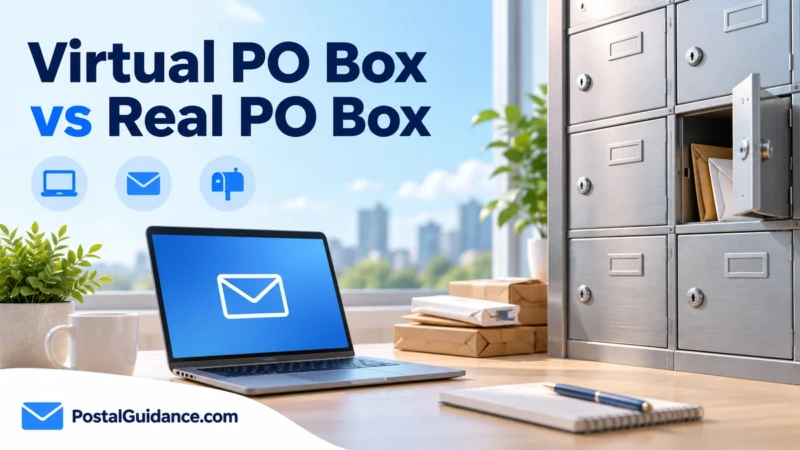
A virtual PO Box is not a USPS PO Box at all. It is a private mail scanning service. It gives you a street address, opens your mail, photographs it, and lets you view everything from a phone or laptop.
The name causes real confusion, since the two products solve similar problems in very different ways. One is a locked box you visit at a Post Office. The other is a subscription service you never have to visit in person.
Knowing which one you actually need starts with understanding what each is built to do.
What this service actually is
A private company, not USPS, operates it. The company rents a real street address at one of its locations, then receives mail there on your behalf.
Staff open, scan, and upload each piece so you can read it online. You then decide, item by item, whether to have it forwarded, shredded, or held.
Because the address is a real street address, it accepts packages from every major carrier. That includes USPS, UPS, FedEx, and DHL, not just USPS mail.
Virtual PO Box vs a USPS PO Box
| Feature | Virtual PO Box | USPS PO Box |
|---|---|---|
| Operator | Private mail scanning company | USPS |
| Carriers accepted | USPS, UPS, FedEx, DHL | USPS, plus others only with Street Addressing |
| Mail access | Scanned online, anywhere | In person at the Post Office |
| Typical cost | About 10 to 40 dollars a month | 60 to 1,316 dollars a year, size and location dependent |
| Business registration use | Often accepted as a street address | Not accepted for registered agent or formation filings |
The price gap runs the opposite direction from what people expect. This kind of remote mailbox usually costs more per year than a physical one.
The tradeoff is remote access and a real street address. For the actual USPS pricing by size, see our breakdown of PO Box costs.
Why the paperwork looks familiar
Providers must verify who they are receiving mail for. USPS requires them to collect a notarized PS Form 1583 before activating your address, the same basic idea as verifying a PO Box applicant in person.
That form authorizes the provider to accept mail addressed to you. Federal rules require this for any private mail receiving business.
This step surprises people who expected a signup as quick as a standard PO Box application. Build in a day or two for notarization before you count on the address working.
When this option makes more sense
Anyone who travels often or lives outside the country benefits the most. Reading scanned mail from anywhere solves a real problem a physical box cannot.
Online sellers and remote businesses lean toward it too, mainly for the street address it provides. That address can go on business cards and some registration paperwork in ways a USPS PO Box cannot.
If your main goal is receiving business mail without using a home address, this route often solves that more completely than USPS Street Addressing alone.
When a physical PO Box still wins
Cost is the clearest reason. A basic USPS box in a low fee area can run a fraction of the cheapest remote mailbox plan.
Anyone who wants to physically hold their mail, not just view a scan, also prefers the original. Certified mail and signature items still work more simply through an actual PO Box you can walk into and collect.
If you rarely need remote access, the physical option stays the simpler and cheaper choice.
What a typical plan actually includes
Most plans bundle a set number of scanned items each month, plus storage for mail you have not decided about yet. Scanning beyond that limit usually costs extra per item.
Shredding is normally included at no added cost. Providers want unwanted mail cleared quickly.
Forwarding a physical piece to your real address is where the fees add up. Each forwarded envelope or package typically carries its own postage and handling charge.
Read the plan tiers closely before you commit. A cheap base plan can end up costing more than a pricier one if you forward mail often.
How signing up actually works
You choose a location from the provider’s list of addresses, then pick a plan tier based on expected mail volume. Payment and account setup happen entirely online.
Next comes the notarized PS Form 1583. Most providers now let you complete it through an online notary session instead of visiting one in person.
Once USPS approves the form, your address goes live. Mail starts appearing in your online dashboard soon after.
Using one for an LLC
A remote scanning address is often accepted for the mailing address on your paperwork. Most states still require a physical street address for your registered agent.
A scanned mailing address does not satisfy that requirement on its own. Check our guide on using a PO Box for an LLC for the fuller picture, since this same physical address rule applies no matter which type of box sits behind it.
Frequently asked questions
Is a virtual PO Box the same as a real PO Box?
No. A virtual PO Box is a private mail scanning service using a street address. A real PO Box is a locked box you rent directly from USPS, and the two solve similar problems in different ways.
How much does a virtual PO Box cost?
Plans commonly run about 10 to 40 dollars a month, depending on mail volume and features like scanning and forwarding. That is usually more per year than a small USPS PO Box.
Do I need to notarize anything for a virtual PO Box?
Yes. Providers require a notarized PS Form 1583 before they can legally accept mail on your behalf. Federal rules require this for any private mail receiving service.
Can this kind of address receive packages from every carrier?
Yes. Since it uses a real street address, it accepts USPS, UPS, FedEx, and DHL without extra setup, unlike a plain USPS PO Box.
Is a virtual PO Box worth it for a small business?
It depends on how often you need remote access. Businesses that travel or operate without a fixed office often find the cost worthwhile.
Can I use this as my LLC’s registered agent address?
Generally no. Registered agent addresses must be physical street addresses tied to an actual person or company at that location, a separate requirement from a general mailing address.
The bottom line
A virtual PO Box and a USPS PO Box solve the same basic need in very different ways. One trades a higher price for remote access and a real street address.
The other keeps costs low in exchange for an in person pickup routine. Pick based on how you actually work, since frequent travelers tend to prefer the first option and cost conscious individuals tend to prefer the second.