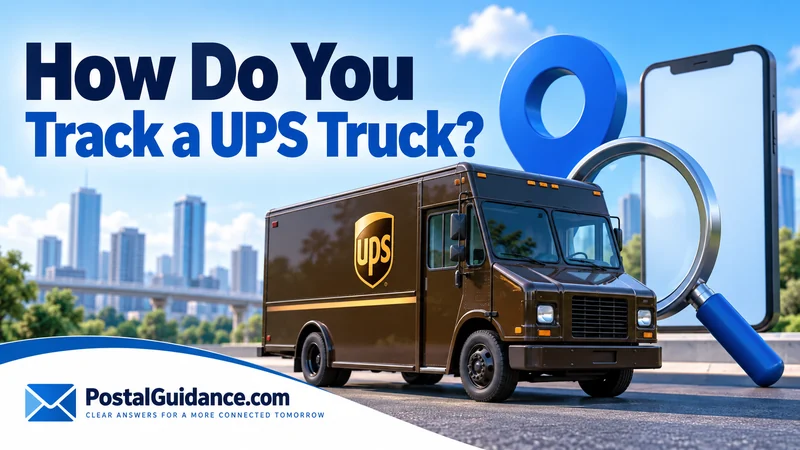
You cannot pull up a public map and watch a UPS truck roll down your street. There is no open GPS feed for the fleet. So how do you track a UPS truck?
The honest answer is smaller than most people expect.
You get a live dot on your own tracking screen. It shows up late in the day, and it only works under a few specific conditions. Once you know them, the whole thing stops feeling broken.
How do you track a UPS truck with Follow My Delivery
The feature is called Follow My Delivery. It lives inside UPS My Choice, and it is not the same as tracking the truck itself.
It tracks your one package. On your one route. For a narrow window of time near the end of the day.
Once your package status changes to ‘Out for Delivery,’ a live map can appear on the UPS tracking page. This only works if you are logged into a free UPS My Choice account. The map shows a moving icon standing in for the driver’s approximate position as the route gets worked.
The three conditions that decide whether the map shows up
Three things have to be true before you see anything. Your package needs to say ‘Out for Delivery,’ not a facility scan. You need to be signed into My Choice, not typing a tracking number into the plain search box.
And in the US, the map generally stays off until about an hour before your delivery window. If UPS estimates delivery by 7 PM and it is 10 AM, nothing will show yet. That is true even though the truck already left the building with your box on it.
This timing is why so many people ask how do you track a UPS truck and then decide the tool is broken. It is not broken. It has not turned on yet.
Setting up My Choice, and what it costs
Signing up for My Choice is free and takes a few minutes on ups.com. Once enrolled, you get delivery alerts and photo proof of delivery. You can also leave instructions on where the driver should put the package.
You can also hold a package at a UPS Access Point location for up to seven days, free. Need the shipment to land somewhere else entirely? Here is how rerouting a UPS delivery actually works once it is already moving.
A paid Premium tier runs $19.99 a year. It adds two free confirmed 2 hour delivery windows per year, inside the normal 4 hour estimate. Basic members can still request that tighter window, they pay per request instead.
Honestly, if all you want is the map, do not pay for Premium. The free tier turns on Follow My Delivery.
Want a rough sense of the window before the status even flips? Our delivery time estimator gives you a starting point based on your route.
How accurate are the estimated delivery windows
UPS builds its delivery window from the route plan for that day. It is not a live prediction that updates minute by minute. Once a driver falls behind on a heavy day, the window can slip without the tracking page saying so.
Plenty of packages arrive right inside the stated window with no drama at all. The map can also lag behind where the truck actually is. Sometimes the dot drops off for a stretch, and then the package shows up on the porch anyway.
Public reviews of UPS tracking are full of a different complaint. A status that does not match what happened at the door, or a ‘delivered’ scan with no knock. None of that makes the map fake, but it is a rough guide for the last hour or two and not a promise down to the minute.
Business addresses tend to see steadier windows than homes. Commercial stops usually get grouped earlier and more predictably on a route.
The app and the website show the same map. The app tends to push the out for delivery alert a little faster, which is the only real difference.
Why the dot freezes or looks like it is driving away
The map runs off the driver’s handheld scanner and vehicle data reporting back on a delay. It is not a constant live stream like a rideshare app. Position updates land in bursts as the driver works stops.
The dot can sit still for ten or fifteen minutes while the driver handles several packages at one stop. It can pass your house and keep going, because the route runs by stop order and not by distance from your address. Your stop might land after four others in the same neighborhood.
Cell signal gaps in rural areas or parking garages can stall the update completely too. When that happens, the dot stops refreshing until signal comes back. It looks frozen even though the driver kept moving.
| What you see | What it usually means |
|---|---|
| No map at all, status is ‘Out for Delivery’ | Too early in the window, or the shipment type does not support the live map |
| Dot not moving for 10 to 20 minutes | Driver is working a multi package stop or stuck in a signal gap |
| Dot passes your address and keeps going | Your stop is later in the route order, even if you are close by |
| Map disappears suddenly | Package was scanned delivered, or the status reverted a stage |
| Delivery window closed with no map ever shown | Upstream delay, or your shipment falls outside the eligible types |
What you cannot do, no matter what a website promises
There is no legitimate public tool that shows UPS truck GPS positions outside your own package’s tracking page. Any site claiming to show ‘all UPS trucks near me’ is not pulling real UPS data. Do not hand that kind of site your tracking number or login.
You also cannot call the driver directly. UPS does not publish driver cell numbers, and drivers are not supposed to hand them out.
If you need to reach someone mid delivery, use the app’s delivery instructions or a My Choice reroute request. Or call UPS customer service at 1-800-742-5877. None of those puts a driver on the phone, but they can still change what happens with the package.
If the package is parked somewhere instead of moving toward you, you might be able to go get it yourself. A map will not help at that stage anyway.
When to actually worry versus when to wait
If the delivery window has not closed yet, a stalled or missing map is normal. It is not worth a call. UPS Ground typically delivers to homes anytime between 9 AM and 9 PM Monday through Friday.
Our breakdown of how late UPS runs in the evening covers what pushes a truck toward the far end of that window. Deliveries also run later during peak holiday weeks. Check a holiday delivery day lookup if a shipping day falls near one.
A slow last mile is different from a slow whole shipment. See our guide on how long UPS Ground actually takes if the whole trip feels behind schedule and not the final stretch alone.
Real worry starts once the stated delivery date has fully passed. No delivered scan and no exception message is the trigger, not a map that has not loaded yet.
Bottom line
So how do you track a UPS truck in practice? You track your own package through Follow My Delivery inside a My Choice account, once it is out for delivery and close to your window.
There is no separate GPS feed for the fleet, and there is no way to ring the driver.
Set up My Choice before your next shipment. Watch the status change to out for delivery. Expect the map near the end of the day, not the whole day.