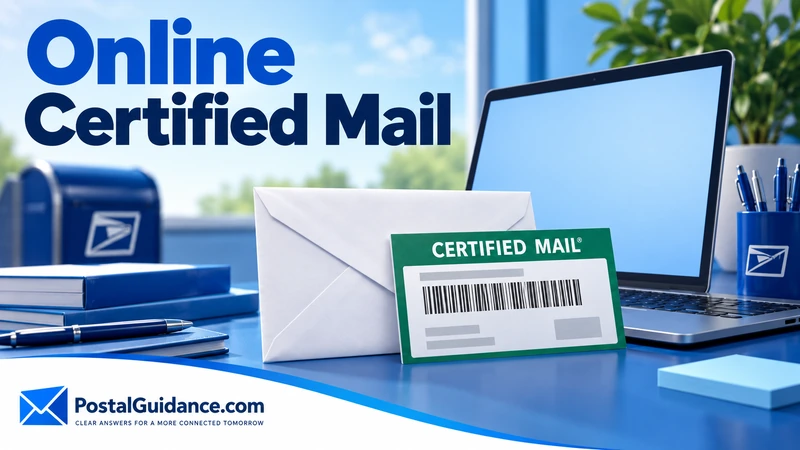
There is no button on usps.com that sends certified mail online. People picture something like Click-N-Ship, the tool that prints a Priority Mail label from the couch, and go hunting for the certified version. It isn’t there, and knowing that up front saves a wasted search.
What does exist are two real routes that get close. One is printing your own certified mail label at home through an authorized USPS postage partner, so you skip the counter line. The other is a third party service that prints, stuffs, and mails the letter for you.
Both count as online certified mail in the way most people use the phrase. Both are worth understanding before you pick one. They cost different amounts and hand you different receipts.
What USPS itself actually offers online
Click-N-Ship is USPS’s own online shipping tool, and it’s built for packages. It sells Ground Advantage, Priority Mail, and Priority Mail Express labels. You can attach insurance and other extra services to those.
Certified mail is an extra service tied to a letter or flat. You can’t add it through the package flow in Click-N-Ship.
USPS’s own extra services page tells you to purchase certified mail at your post office. It says to hand the mailpiece to a clerk if you want a postmarked receipt. That’s still the official line.
A first party USPS button that mails your certified letter while you stay home? It doesn’t exist.
The route that works: printing your own label at home
USPS authorizes a handful of PC postage vendors to generate real certified mail labels. Stamps.com is one of them.
These labels carry the certified tracking barcode built right into the postage. This is the closest thing to online certified mail that USPS actually sanctions.
You print the label on a regular printer and stick it on your envelope. Then you drop it in a blue collection box or hand it to your carrier. No trip to the counter, no PS Form 3800 sticker to fill out by hand.
You still get proof of mailing with a timestamp and full tracking. Electronic return receipt is usually an option too.
The tradeoff: you still address, print, and mail the envelope yourself. It’s DIY without the line.
The route that skips everything: full service online mailers
Some services build their whole product around online certified mail. Click2Mail is one example.
You upload a document as a PDF and pick certified mail, with or without return receipt. Their facility prints the letter, stuffs the envelope, and drops it into the mail stream. You never touch paper.
What you get back is a confirmation, a tracking number, and usually a downloadable proof of mailing PDF. Add the return receipt option and you get an electronic signature record. No waiting weeks for a green card to land in your own mailbox.
Landlords, attorneys, HOA boards, and collections departments lean on this model. They send certified letters from offices with no label setup and no time to stand in line. The service replaces that whole physical workflow with one upload form.
What online certified mail actually costs
| Method | What you do | Typical cost, letter with return receipt |
|---|---|---|
| Post office counter | Fill out PS Form 3800 and 3811, hand to clerk | $11.02 ($0.82 postage, $5.55 certified fee, $4.65 mailed receipt) |
| PC postage at home | Print your own label, drop in a collection box | Same base fees, plus the vendor’s subscription or per label markup |
| Full service online mailer | Upload a PDF, they print and mail it | Click2Mail advertises from $6.66 for the letter alone and $11.04 with a green card receipt |
Straight USPS fees at the counter run $0.82 for a one ounce letter plus $5.55 for certified mail. Add $4.65 for a mailed return receipt or $2.91 for the electronic version. The official list is on the USPS insurance and extra services page.
So a full letter with a mailed receipt lands at $11.02 at the counter. Click2Mail’s $11.04 with a green card is within pennies of that. The vendors are mostly charging USPS fees plus a small handling margin.
Mailing one certified letter? Printing your own label at home rarely saves real money over the counter. A vendor subscription can cost more than the letter.
Online certified mail earns its cost through volume and convenience. You skip the office supply run, and every receipt gets filed automatically instead of tossed in a shoebox.
Our certified mail cost guide lays out every add on. The postage price calculator handles heavier letters.
Is a letter mailed this way legally valid
Yes, as long as the actual mailpiece goes through USPS with a real certified mail barcode. Courts and agencies that accept certified mail as proof of notice care about the USPS tracking record and the return receipt. Nobody asks whether a human or a printer stuffed the envelope.
An electronic return receipt is accepted as proof of delivery in most contexts, since it’s a USPS record with the recipient’s signature attached. If your situation names the physical signed card specifically, order the mailed return receipt instead. Our breakdown of how the green card and electronic return receipt differ covers when that matters.
What people get wrong about online certified mail
The most common mistake is assuming a service prints a fake or informal certified sticker. Every legitimate online certified mail vendor generates a real USPS certified mail barcode through an approved postage integration. It’s the same system the post office counter uses.
The second mistake is expecting it to be cheap. USPS sets the $5.55 certified fee and the return receipt fee. They apply no matter who prints the label.
A service advertising certified mail for a dollar or two is leaving the certified fee out of its quote. Or it isn’t certified mail.
A third mistake is picking a full service mailer without checking for monthly minimums. Some charge a subscription on top of per letter fees, which only pays off if you send certified mail regularly.
If it were me and I sent one letter a year, I’d pay per letter or walk to the counter.
Bottom line
USPS doesn’t run its own online certified mail button for letters. Stop looking for one on usps.com.
Print your own label through an authorized postage partner if you want to skip the line but still handle the mailing. Hand the whole job to a full service mailer if you’d rather upload a PDF and never touch an envelope.
Either way, the underlying USPS fees stay the same, and the receipt you get back is as good as the one from the counter.
Still walking into a post office for this letter? Our guide on how to send certified mail step by step covers the in person process, and our piece on picking the right certified mail envelope covers the envelope itself.
Mailing a stack at once? Our guide on certified mail costs when you send several at a time breaks down the per piece math.