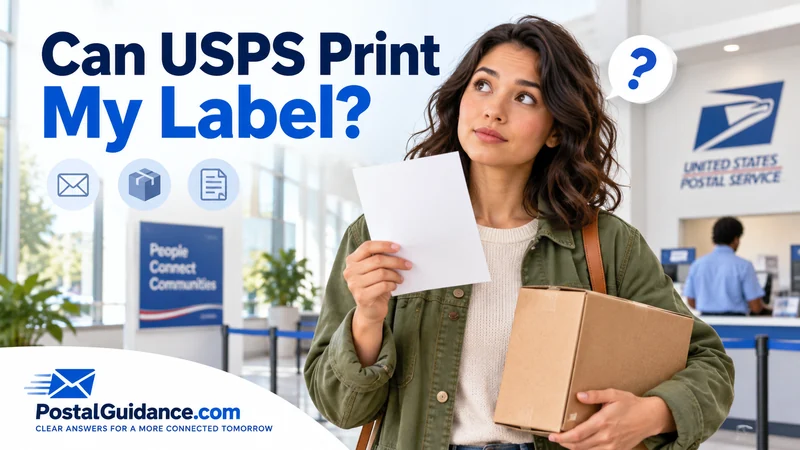
You are standing at the counter with a return QR code pulled up on your phone. You have no printer at home. Yes, USPS can print your label for free, as long as you have a Label Broker code or you pay for postage at the counter.
Can USPS print my label without a printer at home
Can USPS print my label is one of the most common questions among online sellers and return shippers. The short version is that it depends on what you are starting with.
If a QR code was emailed or texted to you, USPS can print that finished label for free. That service is called Label Broker. If you have nothing yet, a clerk can also create a label from scratch and sell you the postage on the spot.
How Label Broker actually works
Label Broker is built around a QR code. USPS officially calls it a Label Broker ID. Stores, ecommerce platforms, and USPS Label Broker service all generate these codes for prepaid or return labels.
Bring your packed and sealed item to a post office that supports Label Broker. Show the QR code on your phone to the retail associate. They scan it and print the label right there, free of charge.
You can also skip the counter entirely. Type the short code printed under the QR code into the online Label Broker tool yourself, and it hands you a PDF to print at home.
Printing at a self service kiosk
Many larger post offices have a self service kiosk that handles Label Broker without a line. Choose the option to scan a QR code for a label. Follow the prompts, and the kiosk prints it on the spot.
Kiosks stay accessible even after the retail counter closes, at locations that keep extended lobby hours. Our guide on what time USPS closes covers how counter hours and lobby access can differ at the same building.
Using Click-N-Ship and printing later
Click-N-Ship lets you build and pay for a shipping label from home. Instead of printing right away, choose Print Later at Post Office.
USPS emails you a Label Broker ID tied to that paid label. Bring your sealed package and that email to any Label Broker location. It works exactly like a QR code from a store return, since the postage is already paid.
What a clerk will print, and what they will not
A clerk will print a Label Broker QR code for free, every time, since the postage behind it is already paid. A clerk will also build you a fresh label if you weigh your item at the counter and pay there.
What a clerk will not do is print a label for another carrier. UPS and FedEx labels are not a USPS product, no matter how the request is phrased.
A clerk also will not waive postage on a label they build fresh at the counter. Free printing only applies to a code that already carries paid postage.
Does it cost anything to print a USPS label
Printing through Label Broker is free, full stop. The shipping cost was already paid when the label was created online, so printing itself carries no charge.
If you instead ask a clerk to build a brand new label at the counter, you pay standard USPS postage for whatever service you choose. Either way, there is no separate printing fee stacked on top.
Finding a location that supports this
Not every post office has Label Broker at the counter or a self service kiosk. USPS maintains a location finder specifically for Label Broker support, so check before a special trip.
If your nearest office keeps limited hours, our guide on whether USPS is open today can help you time the visit. For anything beyond a basic envelope, our full guide to USPS package pricing by weight and service covers the cost side.
If you need postage but no label yet
Sometimes the real question behind can USPS print my label is simpler. You just need to mail something, and you have never used Click-N-Ship. A clerk can weigh your item, pick the right service, and print a complete label right there.
That works for a Priority Mail box just as well as a small envelope. Our guide to Priority Mail pricing and speed is worth a read before you get to the counter.
Use our calculator to price out the exact postage first before you commit to a service. If you only need stamps rather than a shipping label, our guide on where to buy stamps covers every option beyond the post office counter.
Outbound labels versus return labels
Label Broker handles both directions. A seller can send you a QR code so you can return an item, and a business can also use it to hand a customer a prepaid outbound label picked up in person.
The process at the counter looks identical either way. What differs is who paid for the postage and why the code exists, which does not change anything about how you print it.
If your post office does not support Label Broker
Some smaller offices do not have Label Broker at the counter or a kiosk. In that case, print the label yourself using the code and a home printer, then just drop off the sealed package.
You can also request a free package pickup from your carrier instead of visiting a counter at all. That option works well when the label is already printed and paid for, and you simply need it collected.
The bottom line
Can USPS print my label almost always comes back to yes, through one of two paths. A QR code from Label Broker prints free at the counter or a kiosk. A clerk can also build a fresh label if you pay for postage there.
What USPS will not do is print another carrier’s label or waive the cost of postage. Bring your package sealed, bring your QR code if you have one, and either path gets you shipped.