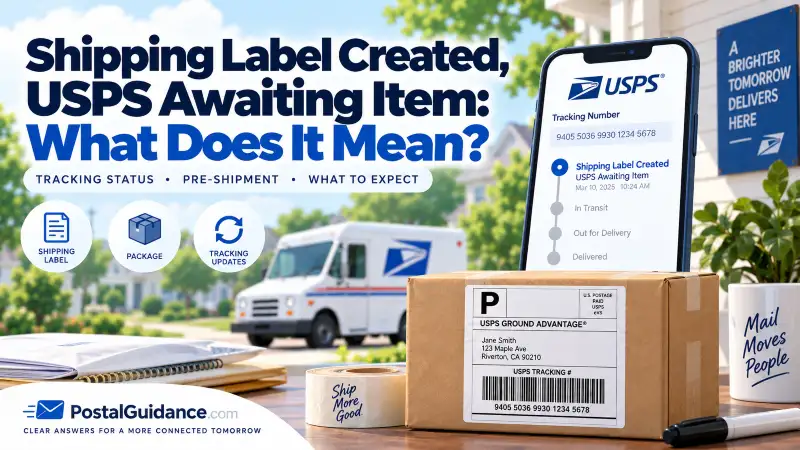
Shipping Label Created, USPS Awaiting Item means the seller printed a shipping label, so USPS has a record of the package coming, but USPS has not physically scanned it into their system yet. In most cases it is a completely normal timing gap: the package has not been dropped off, or it was dropped off and simply has not been scanned. It usually clears within a day or two, and as the buyer there is nothing you need to do.
Here is what the status really means, why it gets stuck, whether it signals a problem, and when it is actually worth reaching out.
What does Shipping Label Created, USPS Awaiting Item mean?
It breaks into two parts:
- Shipping Label Created means the sender generated a shipping label online, which creates the tracking number and tells USPS a package is on its way. This is why you can see tracking the moment a seller ships, even before anything moves.
- USPS Awaiting Item means USPS does not physically have the package in hand yet, or at least has not scanned it. The label exists, but the first real scan, the Acceptance scan, has not happened.
So the status simply means the package is prepared and labeled but has not entered the USPS network yet. It is the very first stage of tracking, before any movement.
Is this status normal?
Yes, extremely. Almost every package passes through this status briefly right after a seller ships it. There is naturally a gap between printing a label and USPS getting the package scanned into the system, and during that gap the tracking sits on Awaiting Item. Seeing it for a day or two after your order ships is routine and not a cause for concern.
Why is the status stuck on Awaiting Item?
If it lingers longer than you would expect, one of these is almost always why:
- The seller has not dropped it off yet. Many sellers print labels in advance, then hand packages over later. The label is live before the package physically ships.
- It was dropped off but not scanned. If a seller leaves packages in a bin or hands them to a carrier without an Acceptance scan, the item can be moving through USPS with the tracking still showing Awaiting Item. The status often jumps straight to In Transit at the next facility.
- Batch shipping. Businesses that ship in volume create all their labels at once but may not hand everything to USPS the same day.
- A weekend or holiday. A label created before a non-working day will not get an Acceptance scan until USPS is operating again.
- Peak-season backlog. During the holidays, sheer volume can delay the first scan even after a package is in USPS’s hands.
Notice that most of these are on the sender’s side or are simply a missed scan, not a lost package.
Is my package lost?
Almost certainly not. A stuck Awaiting Item status is far more often a scanning or drop-off gap than a lost item, because at this stage the package has usually not even entered the fast-moving part of the network where losses occur. The most common reality is that the package is either still with the seller or already moving with an unscanned label. A genuine loss at this stage is rare.
How long should you wait before acting?
Use this as a guide:
- 1 to 2 days: completely normal. No action needed, especially over a weekend.
- 3 to 5 days: still often fine, particularly with a seller who batch-ships or during peak season, but worth keeping an eye on.
- Past the seller’s stated handling time, or several days with no scan: this is when to reach out.
Before you worry, check the handling time and estimated delivery window the seller gave you at purchase, since many sellers take a few business days to ship. To sanity-check what the overall delivery timeline should look like once it does move, our Delivery Time Estimator gives a realistic window by ZIP code.
What to do about it
If it has been long enough to act, here is the order that works:
- Contact the seller first. This status is on the shipping end, so the seller is your best contact. They can tell you whether the package has actually been dropped off, is waiting on a scheduled pickup, or is part of a batch that has not gone out yet.
- Re-check your confirmation details. The order or shipping confirmation often lists a handling time or expected ship date that explains the wait.
- Give it another day or two. Packages frequently skip the Acceptance scan and appear at the next facility as In Transit, so the status can correct itself.
- Contact USPS if needed. If the seller confirms it was shipped and the status still has not moved after several days, contact USPS at 1-800-275-8777 with the tracking number, or file a help request on USPS.com.
The honest reality is that as a buyer you cannot force the first scan, it depends on the seller handing the package over and USPS scanning it. Patience resolves the large majority of cases.
If you are the seller
If you shipped an item and buyers are asking about a stuck Awaiting Item status, the fix is simple: get an Acceptance scan. Hand packages to a clerk at the counter, or request a scan at pickup, rather than leaving them in a bin. That first scan flips the status to Accepted or In Transit right away and reassures the buyer the package is genuinely on its way. Accurate labels and dropping off promptly after printing also keep the gap short.
Related tracking situations
This status is closely related to a few others worth knowing:
- If tracking stalls after the package has entered the network, that is covered in USPS tracking not updating.
- If it moves to In Transit and then sits there, see USPS tracking says in transit for days.
- For how long delivery should take once it is moving, see mail delivery time from ZIP to ZIP.
Frequently asked questions
What does Shipping Label Created, USPS Awaiting Item mean?
It means the seller printed a shipping label, so USPS has a record of the package, but USPS has not scanned it into their system yet. It is the first stage of tracking, before the package physically enters the network.
Is my package lost if it says Awaiting Item?
Almost never. It usually means the package has not been dropped off yet, or was dropped off but not scanned. At this stage it has typically not even entered the part of the network where losses happen.
How long does the Awaiting Item status last?
Usually a day or two. It can run longer over weekends, with sellers who batch-ship, or during peak season. If it lasts past the seller stated handling time with no scan, contact the seller.
Why has my package not been scanned?
Most often the seller has not handed it over yet, or it was dropped off without an Acceptance scan and is moving with the label unscanned. Weekends, batch shipping, and holiday backlogs also delay the first scan.
What should I do if it is stuck for days?
Contact the seller first, since the status is on the shipping end. Check the handling time in your confirmation, give it another day or two, and if the seller confirms it shipped but nothing moves, contact USPS at 1-800-275-8777 with the tracking number.
Can a package move without being scanned as accepted?
Yes. Packages sometimes skip the Acceptance scan and first appear at the next facility as In Transit. So a stuck Awaiting Item status can mean the package is already on its way, just not scanned yet.
The bottom line
Shipping Label Created, USPS Awaiting Item just means a label exists but USPS has not scanned the package yet, and it is a normal, temporary stage that clears within a day or two in most cases. It is almost never a lost package. As a buyer, check the seller handling time, give it a little time, and contact the seller if it drags past that. As a seller, getting an Acceptance scan at drop-off is the simple fix that keeps buyers from worrying.