
Short version?
Your package hit a big sorting center. That’s it. That’s the tweet.
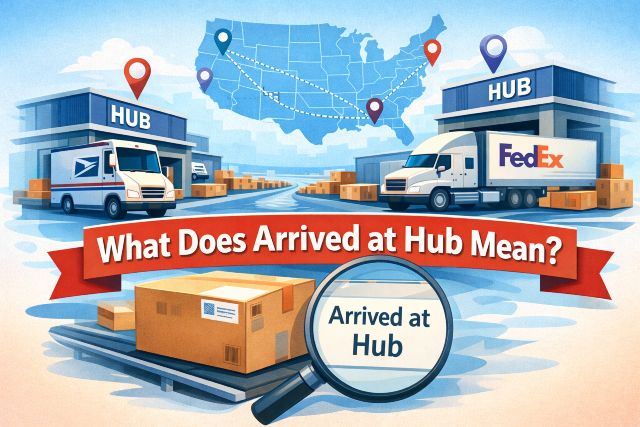
When tracking says Arrived at Hub, it means your package has reached a major USPS processing facility. Think of a hub like a giant mail airport. Stuff comes in, gets sorted, and then gets sent back out to wherever it’s going next.
This is actually a normal and usually good update, even though it sounds dramatic.
USPS hubs handle:
-
Sorting packages by region
-
Redirecting mail to the next facility
-
Loading stuff onto trucks or planes
So no, your package didn’t “arrive” at its final destination. And no, it’s not stuck just because it’s sitting at a hub for a bit.
This status often shows up right before or after messages like in transit arriving on time, which is why people start overthinking it and spiraling into tracking refresh mode.
Bottom line: Arrived at Hub = package is moving through the system, not lost, not abandoned, not plotting against you.
Is “Arrived at Hub” Good or Bad?
Most of the time? It’s good. Like, boring-good.
Seeing Arrived at Hub means your package is exactly where USPS expects it to be at that stage of the journey. It hasn’t gone missing. It hasn’t been delayed yet. It’s just waiting its turn to be sorted and sent onward.
This status becomes scary only because it sometimes sits there… quietly. No updates. No movement. Just vibes.
But that silence doesn’t automatically mean trouble. USPS hubs process massive volumes of mail, so packages can sit for a bit before the next scan. This is why people often jump from this status straight into Googling USPS tracking not updating or USPS package stuck in transit.
Here’s a quick rule of thumb:
-
1 to 2 days at a hub = totally normal
-
3 to 4 days = still usually fine
-
5+ days with no change = okay, now we watch it
Until the wording changes or the delivery date disappears, USPS hasn’t flagged a problem.
What Happens to Your Package at a USPS Hub?
A USPS hub is basically controlled chaos.
When your package arrives at a hub, it doesn’t just sit there sipping coffee. It goes through a whole process, even if tracking doesn’t show every step.
Here’s what’s usually happening behind the scenes:
-
The package gets unloaded from a truck or plane
-
It’s scanned into the facility
-
Sorting machines route it based on destination
-
It gets staged for the next leg of the trip
Some packages move through a hub in a few hours. Others sit overnight or longer, especially during weekends, holidays, or busy seasons. That’s why this status often shows up alongside in transit arriving on time or before another In Transit update.
And yeah, this is where tracking feels useless sometimes. USPS doesn’t always show micro updates, which leads people straight to what does in transit mean style searches.
But the important thing to know is this: hubs are transition points. Your package is not parked there permanently.
How Long Can a Package Stay at a Hub?
Anywhere from a few hours to a couple of days is totally normal.
Most packages move through a hub within 24 to 48 hours, but there are a bunch of reasons it can take longer without anything being wrong.
Common reasons a package hangs out at a hub:
-
High package volume
-
Weekend or holiday backlog
-
Weather delays
-
Waiting to be loaded onto the next truck or plane
This is why you’ll sometimes see Arrived at Hub just sitting there, staring back at you like it knows you’re stressed. USPS doesn’t always scan again until the package actually leaves, so tracking looks frozen even though things are happening.
People usually start worrying when it sits for 5 days or more, which is when searches like USPS package stuck in transit start popping up. Even then, most packages still move without needing intervention.
When Should You Be Concerned About “Arrived at Hub”?
Not right away. Seriously.
If your tracking says Arrived at Hub and the delivery date hasn’t passed, you’re still in normal territory. USPS hasn’t declared a delay, even if it feels slow.
You should start paying closer attention if:
-
The package stays at the hub for 5+ days
-
The delivery date disappears
-
The status changes to Arriving Late
-
Tracking stops updating completely
That’s usually when people end up reading posts like USPS tracking not updating or in transit arriving late because something may actually be off.
Even then, it doesn’t automatically mean the package is lost. USPS delays often resolve themselves once the backlog clears or the package catches the next transport.
What Should You Do When Your Package Arrives at a Hub?
Most of the time? Absolutely nothing.
If your tracking says Arrived at Hub and the delivery date is still there, the smartest move is to let USPS cook. This status is part of the normal journey, not a red alert.
Here’s the sane approach:
-
Check tracking once a day, not every hour
-
Watch the delivery date, not just the status text
-
Give it at least a couple of days before assuming anything is wrong
If the delivery date passes or the status flips to something scarier, then it makes sense to take action. That’s when guides like USPS tracking not updating or USPS package stuck in transit actually apply.
Calling USPS the same day it hits a hub usually gets you the same answer: “It’s still in transit.” Which… yeah. It is.
Final Take: Is “Arrived at Hub” a Bad Sign?
Nope. Not even close.
Arrived at Hub simply means your package reached a major sorting facility and is waiting to move on. It’s not lost. It’s not forgotten. It’s not secretly delayed just because tracking went quiet.
Most packages move on from a hub within a day or two and continue toward delivery without any issues. If nothing else changes and the delivery date stays intact, you’re good.
In USPS language:
-
Arrived at Hub = normal
-
Arriving Late = now we watch
-
No updates + missed date = okay, now we act
Until then, breathe easy.